No credits, ever.
Generate as many takes as your GPU and your time allow. You pay for the software once; the electricity is the only running cost.
Runs on your NVIDIA GPU
Images, edits, video with sound, voices and consistent characters, generated on your own NVIDIA GPU with open models. No credits, no monthly plan, no upload of your work.
Founder price for the first 200 licences, then $199. Commercial use included. 12 months of updates. The version you buy is yours to keep. Your money back within 14 days if it doesn’t run on your PC.
Every image and clip here was rendered on a single RTX 5090 with the models cleared for commercial use. Each one names the model that made it, and every clip starts from a still made in the same app. No real person's likeness.

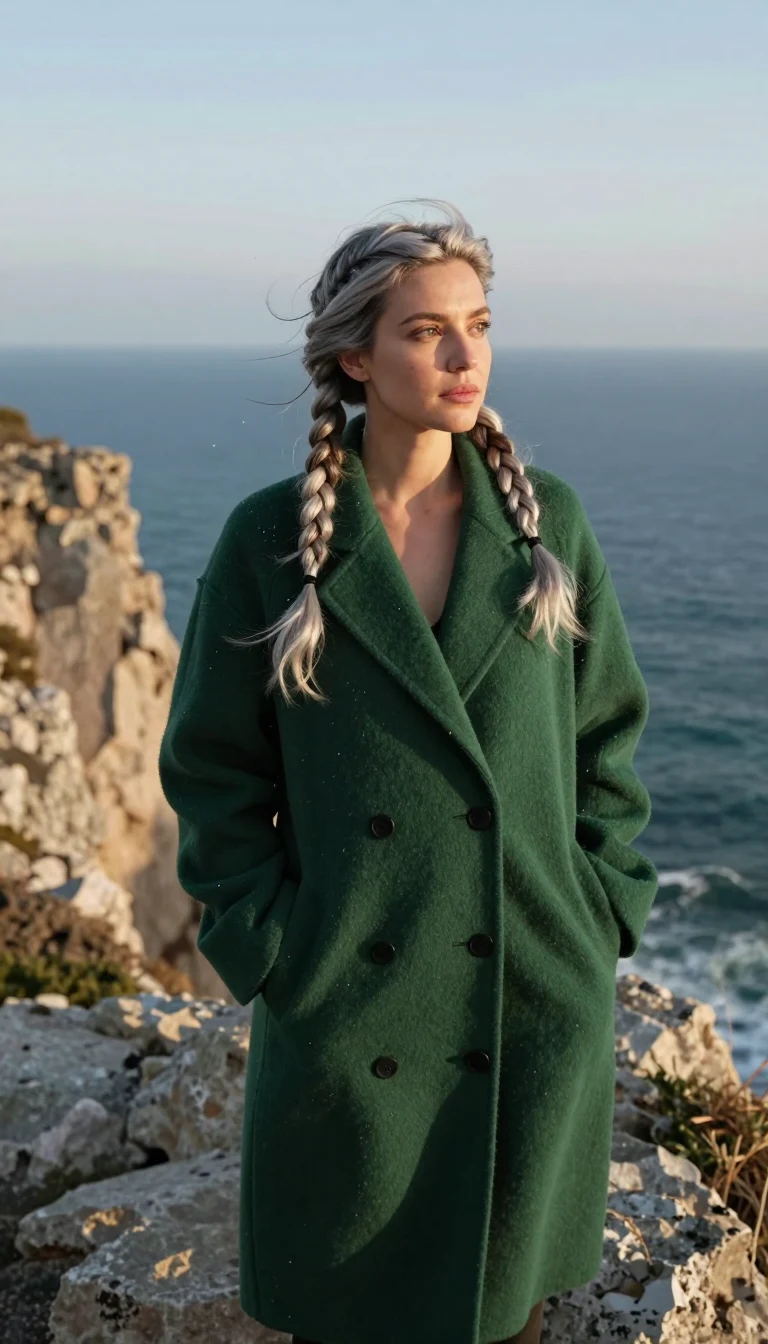
Generate as many takes as your GPU and your time allow. You pay for the software once; the electricity is the only running cost.
Prompts, uploads and outputs never leave your computer.
Describe the scene; the local Director plans the shots, renders them, checks each one and retries the weak ones.
A live grid that updates as you type, camera and lens looks, references, edit and inpaint, relight, upscale.
One-click Animate from any image, 30 camera moves (dolly, orbit, crane, FPV, bullet time, robo arm...), first-to-last-frame, extend to 15 s, optional synced audio.
32 one-click cards: product photos, UGC ads, levitation, melt, portal reveal, earth zoom-out and more.
Train a consistent character, make photo sets, talking avatars and lip-sync (consent required for real people).
Text to speech with voice cloning, voice change, music, translate and dub.
Storyboard a short, chain steps visually, save a chain as your own app.
A daf command line and an MCP server, so your own agents can drive the studio.
| Dream Art Fields | Typical cloud AI video service | |
|---|---|---|
| Where it runs | Your NVIDIA GPU | Their servers |
| How you pay | $149 once (founder price), then $199 | Monthly plan with credits per generation |
| A year of use | $149, plus power for your GPU | Twelve monthly payments, plus extra credits if you run out |
| Generation limits | None from us | Plan caps |
| Models | Open-weight models (Wan 2.2, Z-Image, Qwen-Image-Edit, LTX-2.3...) | Their own and licensed closed models |
| Your uploads | Stay on your machine | Uploaded to the service |
Honest note: some closed cloud models are ahead on motion realism and clip length. We pick the best open models we can run locally and say which one made every result.
A built-in system check tells you before you download anything.
You pay once and keep the version you bought forever, including for client and commercial work. 12 months of updates are included; after that, another 12 months cost $69 if you want them. The open models are downloaded from their creators under their own licences; the commercial set excludes every non-commercial model, and a few models carry conditions (for example a revenue cap) that we show before you download.
Full terms: licence terms · refund policy · privacy.
Prices in US dollars, including VAT or sales tax where it applies. Tax is worked out at checkout from your billing address.
Founder licence Current price
$149 once
For the first 200 licences sold.
Standard licence Current price
$199 once
From the 201st licence on.
Not sure about your PC? See What is Smart App Control?
Checkout is not available right now and nothing was charged. Please try again in a few minutes, or write to info@yambacode.com.
Payment by Stripe. Your licence file appears on the next page and comes by email. Before you buy, check what you need: early access, 24 GB VRAM recommended, 16 GB limited.
Yes. You pay once. The licence includes 12 months of updates, and the versions you have keep working after that.
The first 200 licences are founder licences at $149. After that the price is $199. That is the real price we charge from then on, not a made-up “was” price. When the count of founder licences left is shown on this page, it comes straight from our sales records.
Nothing stops. You keep using every version released in your update window. If you want newer versions, 12 more months of updates cost $69. You can renew whenever you like, or never.
Tested on an NVIDIA RTX 5090 (32 GB). 24 GB is recommended; 16 GB is the minimum and limited (early access: smaller cards are not measured yet). AMD, Intel and Apple GPUs are not supported.
There is no trial yet. Check that your PC has what it needs: Windows 11, an NVIDIA RTX card (24 GB VRAM recommended, 16 GB minimum and limited), a recent NVIDIA driver (R570 or newer), 32 GB RAM recommended, and about 80 GB of free disk for the starter models (about 250 GB for the full commercial set). If it does not run on your PC, you get your money back within 14 days. After you install, the built-in system check (Settings, System check) tells you before any model download whether your GPU, driver, RAM and disk are ready.
Smart App Control is a security feature of Windows 11. When it is on, Windows only runs apps it can verify, for example installers with a code signature. To see whether it is on for your PC, open Windows Security, choose App & browser control, then Smart App Control. Our signed Windows installer runs with it on. Until the signed installer is out, the early-access build installs only on PCs where Smart App Control is already off. If it is on for you, keep it on: your licence works with the signed installer, and we email you when it is ready. We will never ask you to turn it off.
Yes, with the commercial model set, which leaves out every non-commercial model. A few models have conditions (for example LTX-2.3, which is free below USD 10M yearly revenue). The app shows them before download.
On an RTX 5090 (32 GB), once the models are loaded: an image takes about 2 s in Speed mode and 3.5 s in Quality mode, a 5 s clip about 1 minute at 480p and 2.5 minutes at 720p, a 15 s clip at 720p about 7.5 minutes. The first job after starting the app takes longer while its models load. Cards with 16–24 GB are not measured yet.
About 80 GB for the starter set, about 250 GB for the full commercial set.
Only to install and download models. After that it runs offline, including the licence check.
No. Prompts, uploads and outputs stay on your computer. See privacy.
Right after payment, on the confirmation page, as a file to download, and by email. In the app, open Settings, then Licence, and choose the file. Your first hour walks through install, licence and first renders.
For images and short clips it is close; some closed cloud video models are still ahead on motion and length. You trade a little peak quality for no credits, no limits and full privacy. Every result shows which open model made it.
No. The edition we sell blocks sexual content. Two hard limits are always on as well: no sexual content involving minors, and no sexual or intimate imagery of real, identifiable people.
Yes: the daf command line and an MCP server are included.